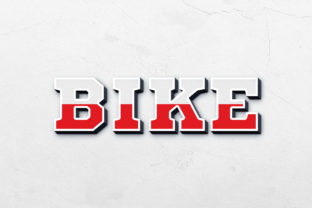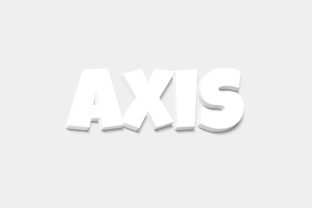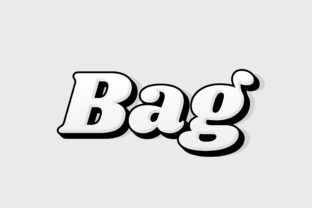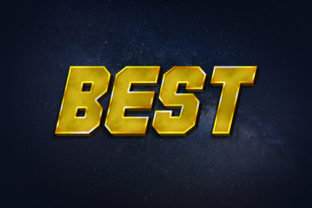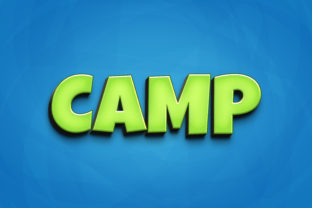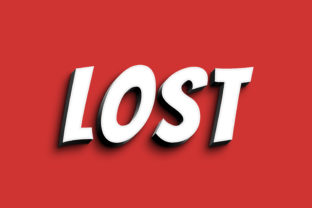
Lost - 3D Text Style Effect PSD: Create Eye-Catching Designs
Imagine giving your typography an instant, professional upgrade with a striking three-dimensional depth. The Lost - 3D Text Style Effect PSD is a creative design asset that transforms standard text into a bold, sculptural element, perfect for projects that demand immediate visual impact. This premium font resource provides a polished, modern aesthetic that can elevate a variety of creative work, from brand identity materials to dynamic social media graphics.
What is the Lost 3D Text Style Effect?
This downloadable PSD file is more than just a typeface; it's a complete text effect solution. Designed for ease of use, it features organized layers and a smart object replacement system. This means you can seamlessly apply a realistic 3D appearance to your own text or shapes without complex manual editing. The high-resolution 3000×2000 pixel canvas at 300dpi ensures your designs are print-ready and visually crisp at any size.
Creative Applications and Project Ideas
The versatility of this 3D text effect makes it a valuable addition to any designer's toolkit. Its bold, dimensional style is particularly effective for projects where text needs to be the focal point. Consider using it for:
- Logo Design & Branding: Create memorable logos, monograms, or brand marks with inherent depth and character. It's excellent for entertainment, gaming, or tech-focused brands.
- Poster & Packaging Design: Grab attention on store shelves or event posters with headlines that literally pop out of the surface.
- Social Media Graphics: Develop scroll-stopping visuals for announcements, promotions, or profile banners across platforms like Instagram and YouTube.
- Editorial & Web Design: Use it for standout chapter headings, hero section titles, or featured quotes in digital magazines and websites.
- Digital Products & Merchandise: Apply it to mockups for t-shirts, stickers, or digital download covers to enhance perceived value.
How to Use This PSD File for Maximum Impact
Getting started is straightforward, designed to integrate smoothly into your workflow. Simply open the PSD file in Adobe Photoshop CS5 or higher. Locate the clearly labeled smart object layer—often named "Double-Click to Change." Double-clicking this layer opens a new window where you can type your desired text, change the font, or even insert custom shapes. Once you save and close that window, the 3D effect is automatically applied to your content. This efficient process is a huge time-saver, especially when working on multiple projects or tight deadlines.
Tips for Selecting and Pairing Fonts
While the Lost effect is powerful, thoughtful selection and pairing are key to professional results. Always test your chosen text for readability, especially at smaller sizes. The mood of the 3D style should align with your project's tone—does it convey luxury, playfulness, or futurism? Experiment with font pairing; a clean sans-serif font for body text often complements the boldness of a 3D display effect beautifully. Before finalizing, ensure the license covers your intended use, whether it's for personal, commercial, or print-on-demand projects.
Investing in a well-crafted design asset like this 3D text style effect streamlines your creative process and ensures visual consistency. It helps build stronger brand recognition and presents a more polished, professional image across all your communications. By choosing resources that offer both high quality and easy customization, you empower yourself to produce standout work that truly resonates with your audience.