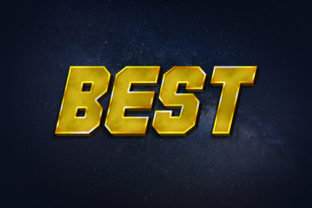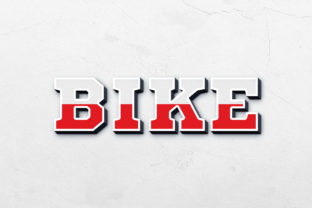
Axis - 3D Text Style Effect PSD
Creating text that leaps off the page and grabs attention is a common goal for designers, and the Axis - 3D Text Style Effect PSD makes achieving this visually stunning result remarkably straightforward. This resource is more than just a font; it's a complete design asset that provides a powerful, editable 3D text effect, perfect for injecting depth, dimension, and a modern typographic punch into your projects.
At its core, Axis is a premium design template built for Adobe Photoshop. It leverages the power of Smart Objects to allow for effortless customization. The process is intuitive: open the PSD file, double-click the designated smart object layer, replace the placeholder text with your own message, save, and watch as the intricate 3D effect is automatically applied to your new text. This non-destructive workflow means you can experiment endlessly without compromising the original quality or effect integrity.
Practical Applications for Modern Designers
The versatility of this 3D text effect makes it suitable for a wide array of creative endeavors. Consider its application in:
- Brand Identity & Logo Design: Create a memorable, dimensional logo mark that stands out in a crowded marketplace. The effect adds a tactile quality that can define a brand's visual personality.
- Poster & Packaging Design: Instantly elevate promotional materials. A 3D headline on a product package or event poster commands attention and conveys a sense of quality and innovation.
- Social Media Graphics: Stop the scroll with eye-catching visuals. The effect is perfect for creating impactful thumbnails, promotional banners, and story highlights that look polished and professional.
- Web & Digital Design: Use it for hero sections, call-to-action buttons, or app interface elements to add a layer of sophistication and interactive appeal.
- Editorial & Invitation Design: From magazine covers to event invitations, this style effect can transform standard text into a key design feature, setting the mood and theme instantly.
Tips for Integrating Axis into Your Workflow
To get the most out of this asset, a few best practices can help. First, always consider the context. The bold, dimensional nature of a 3D text effect works best as a headline or accent; pairing it with a clean, simple sans-serif or serif font for body text ensures readability and visual balance. Think about font pairing as creating a conversation between typefaces—one makes a statement, the other provides support.
Second, match the effect to your project's mood. The "Axis" style has a modern, slightly technical edge, making it ideal for tech brands, gaming, contemporary events, or any project aiming for a sleek, forward-thinking aesthetic. For more traditional or elegant themes, you might explore other font styles like a refined script or a classic serif, using this 3D effect sparingly for maximum impact.
Finally, the technical details matter. With a resolution of 3000×2000 pixels at 300dpi, the file is print-ready, ensuring your designs look crisp and professional in any medium. The organized layers and compatibility with Photoshop CS5 or higher make it a reliable tool for both beginners and seasoned professionals. Always check the included Read Me.txt for font information to maintain design consistency across your project.
Choosing the right design assets is about finding tools that enhance your creative vision while streamlining your process. The Axis - 3D Text Style Effect PSD offers a unique combination of visual impact, practical flexibility, and professional-grade quality. It empowers you to create compelling typographic designs that look custom-crafted, helping your work—and your clients' brands—make a stronger, more polished impression.